Machining Center Programming for Beginners: A Browser Simulator and Graded Exercises
Once you have G54, G43 and G41 down, machining isn't scary anymore. First, press ▶!

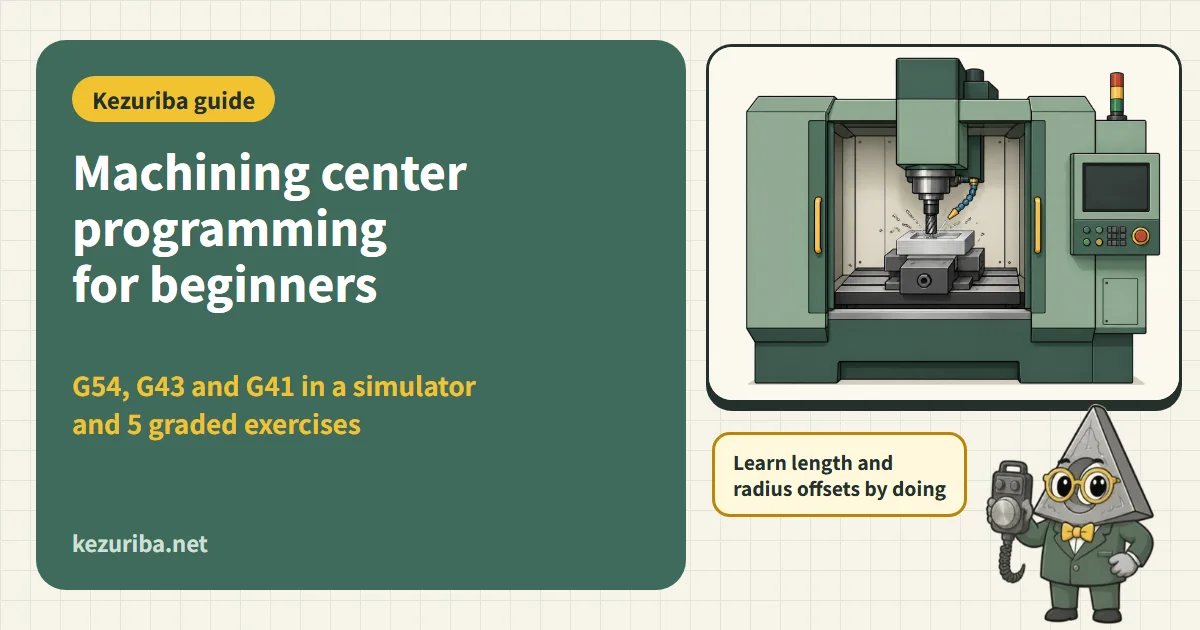
A machining center (MC) program has one more axis than a lathe, and the hard part is that three "things you have to tell the machine" pile up: the work coordinate system (G54), tool length compensation (G43) and cutter radius compensation (G41). Leave out even one and the tool crashes into the workpiece or the vise. In this article we check how to write a program step by step from the very first line, using a machining simulator that runs in your browser. When you type a program and press ▶, the tool moves, the material is cut, and you get spindle speed, machining time, and warnings for collisions and forgotten compensation. The second half has 5 graded exercises that automatically judge whether the part was cut to the drawing.
This article follows FANUC-compatible G-code, which is used on many machines. FANUC's manuals are not publicly available, so the FANUC-compatible format was checked against the public manuals of Mitsubishi Electric[1] / the Siemens ISO dialect[2] / Haas[4], and where a machine writes it differently, this is noted each time. On a real machine, always follow that machine's manual and your company's rules.
Try it first: the machining simulator
The program below is just a sample that cuts one slot 2 mm deep with a φ10 end mill. Press ▶ and watch the order in which the tool moves: "change tool → spin → above the origin → plunge → cut → retract." Edit a line and press ▶ again to see the result change. The stock is 80×60×20, and the origin is the front-left corner of the top face.
- Tools provided: T1 = φ20 end mill, T2 = φ10 end mill, T3 = φ6.8 drill. H for tool length compensation and D for cutter radius compensation are assumed to hold values under the same number as the tool number
- Unlike a real machine, it does not model machine acceleration/deceleration, tool deflection or parameter settings. All you see is how the program corresponds to the tool's motion
- Teaching at universities and technical colleges has also been reported to use simulation to check tool motion on screen before moving to the real machine. However, most simulators draw only the material and the tool, so collisions with the vise, fixtures or covers are not shown. Before going to a real machine, make a habit of checking the fixture height and tool stick-out yourself[19][20]
- Research on machine tool collisions also lists wrong tool length registration as a cause that is easy to miss in advance checks[21]. This simulator assumes H holds the correct length, so on a real machine always recheck the measured tool lengths
Coordinates: X, Y, Z and the work origin G54
On a vertical machining center, the table's left-right axis is X, the front-back axis is Y, and the spindle's up-down axis is Z. For every axis, plus is the direction in which the tool moves away from the work (JIS B 6310 / ISO 841)[16][17][1]. In other words, the direction in which the tool rises is +Z, and when cutting the workpiece the tool goes down toward minus Z.
A machine has its own machine zero (0 in machine coordinates), but it has no idea where in the vise you clamped the workpiece. So you measure where the workpiece's reference corner (or center) lies in machine coordinates and register it as the the work coordinate system, then in the program write G54 to call it up[1][2]. Because the six systems G54–G59 can be used selectively, with two vises side by side you might assign G54 to the first and G55 to the second.
Diagram: Machine zero and work zero (coordinate systems)
- Deciding the origin: match it to the dimensional datum of the drawing (the front-left corner, a hole center, etc.) and you can write the drawing's numbers into the program as they are. Z0 is normally placed on the top face after finishing
- Measuring the origin: measure X and Y with an edge finder or touch sensor, and Z with a tool setter or reference block (Gauges)
- When you want to move in machine coordinates, use G53 (machine coordinates for that one block only)
Program form: a "safety block" in the first lines
An NC program is a series of lines (blocks), each made up of words (a letter plus a number). A block ends with EOB (shown on screen as ;), and the program starts with an O number. This format is defined in ISO 6983-1 (JIS B 6315-1)[17][1]. Reading the sample program one line at a time gives the following.
O2000                  (program number)
G21 G90 G17 G40 G49 G80 (safety block: mm, absolute, XY plane,
                          no cutter comp., no tool length comp., no canned cycle)
G54                    (call the work coordinate system)
T2 M06                 (change to tool no. 2)
S3200 M03              (spindle forward at 3,200 rpm)
G00 X10. Y30.          (rapid to just above the start of the slot)
G43 H2 Z30.            (apply tool length comp. for tool 2, to Z30)
M08                    (coolant ON)
Z2.                    (rapid to 2 mm above the top face)
G01 Z-2. F150          (plunge 2 mm at 150 mm/min)
X70. F500              (cut the slot at 500 mm/min)
G00 Z30.               (retract)
M09                    (coolant OFF)
M05                    (spindle stop)
G91 G28 Z0.            (return only Z to machine zero)
G90                    (back to absolute)
M30                    (end of program, rewind)
The safety block is a line that cancels, at the very start, the states left over from a previous program or manual operation (inch mode, incremental mode, compensation left on, canned cycle left on). Most G-codes are modal (once commanded, they stay in effect until canceled), so it is safe to line them up at the top of every program[1][4].
| Code | Meaning | Where beginners trip up |
|---|---|---|
| G21, G20 | mm, inch | Machines in Japan are normally in mm. When you reuse a program for an inch machine, the meaning of the numbers changes by a factor of 25.4 |
| G90 / G91 | Absolute (position from the origin), incremental (distance from the current position) | If you move on to the next line still in G91, X10. changes to "move 10 mm" |
| G17 | Selects the XY plane (the plane for arcs, cutter radius compensation and canned cycles) | If G18 or G19 is still active, arcs are drawn in a different plane |
| G40 / G49 / G80 | Cancel cutter radius compensation, tool length compensation and canned cycles | If compensation is still on when you move to the next tool, the position is off |
Diagram: Writing the same move in absolute (G90) and incremental (G91)
Tool change and tool length compensation: T, M06, G43 H
Tools are changed with T (tool number) and M06 (tool change), which swap the tool in the spindle for one from the magazine[1][12]. After the change, you tell the machine the length of that tool with tool length compensation G43 H□. Because the distance from the spindle nose to the cutting edge differs from tool to tool, Z is shifted by the length registered under the H number so that "Z0 = top of the workpiece" holds for every tool[1][9].
Diagram: Tool length compensation: spindle gauge line and H
- Make the H number the same as the tool number (H2 for T2). If you mix up the numbers, the machine moves using another tool's length, Z ends up tens of mm off, and the tool crashes into the workpiece[9]
- Do the G43 block well above the workpiece (around Z30.). The moment compensation is applied, Z moves by the compensation amount[2]
- How compensation is applied differs by machine. Haas's newer control (NGC) keeps tool length compensation on until you write G49 or H00, and it switches automatically at a tool change[9]. Siemens' native format has no H; the D number brings in both tool length and tool radius compensation[3]. On FANUC-compatible machines, writing G43 H every time is the basic rule
- Return Z to machine zero before a tool change is the usual practice.
G91 G28 Z0.means "go from the current position through a point with zero increment, then return to the machine zero of Z." If G90 is still active and you writeG28 Z0., the tool first goes down to Z0 in work coordinates (the top of the workpiece) and then returns, which is dangerous[2][7] - What happens when you omit the axis in G28 also differs by machine. In FANUC-compatible code only the axes you write return, whereas on a Haas, a
G28with no axis written sends all axes home. For retracting Z, the Haas example usesG53 G49 Z0.(to machine-coordinate Z0)[7][2]
Diagram: G28: return to reference point via intermediate point
Spindle speed and feed: S, M03, F (feed per minute)
The spindle is turned with S (spindle speed, rpm) and M03 (forward rotation). On a machining center, the feed F is normally G94 = feed per minute (mm/min). This differs in unit from a lathe's "per revolution (mm/rev)," which is the first thing people coming over from lathes get wrong[1][2]. Speed and feed are worked out from the cutting speed Vc and feed per tooth fz in the tool maker's catalog[15].
- Spindle speed n = 1000 × Vc ÷ (π × D), feed rate Vf = fz × z × n. In the example above (aluminum, φ10, 3 flutes), n ≈ 6,366 rpm and Vf ≈ 955 mm/min[15]
- The tapping (G84) feed F, with feed per minute, is rpm × pitch (for an M8×1.25 tap at 400 rpm, F500). If it is off, you crush the threads or break the tap[10][2]. However, with Mitsubishi Electric's synchronized tapping (
,R1), there is also a style in which you write the pitch directly as F, and mixing the two up makes the feed wrong by orders of magnitude[1][14] - The calculated values are a starting point. Reduce them according to machine rigidity, overhang and clamping (Milling and end mill cutting condition calculator, How to Extend Tool Life)
Motion: G00, G01, G02, G03
There are four motion codes. G00 is rapid traverse (positioning), G01 cuts in a straight line at the speed F, and G02 / G03 cut arcs. The arc direction is G02 for clockwise and G03 for counterclockwise when the XY plane (G17) is viewed from the +Z side (above).[1][6].
Diagram: G02 arc: direction, center, I/J, R
- Use G00 only outside the material: depending on the machine and parameters, rapid traverse moves each axis at its top speed, so a diagonal move may not be a straight line (dogleg). Near the workpiece, raise Z first and then move XY
- An arc is written with an end point plus either the radius R or the center I, J. I and J are the distance from the start point to the center (I in the X direction, J in the Y direction). When you write with R, an arc over 180° takes a negative R, and a full circle (one turn) cannot be written with R, so use I and J (Exercise 3)[1][6]
- Don't forget the decimal point: on many machines,
X10is read as 0.01 mm, not 10 mm (least input increment 0.001 mm × 10). Make it a habit to writeX10.. Some machines can change how this is read through a parameter, so check your own machine's setting[2][1] (Forgetting the decimal point)
Cutter radius compensation: G41, G42, G40 and D
When cutting the outer contour exactly to the drawing, the tool's center must pass outside the shape by the tool radius. Letting the NC do this "shift by the radius" calculation is called cutter radius compensation. In the program you write the drawing's shape as is and register the tool radius under compensation number D[1][8].
Diagram: Cutter radius compensation: left (G41) and right (G42) of travel direction
- G41 shifts the tool to the left of the direction of travel, G42 to the right. With an end mill on a forward-rotating spindle (M03), going clockwise around the outside and counterclockwise around the inside of a pocket gives G41 and climb milling (down-cut milling). Climb milling is better for surface finish and tool life, so G41 is often used for MC finishing (from the definition of climb milling and the Haas example of M03, clockwise around the outside, G41)[15][5]
- A straight XY move is needed to start and to end compensation. The tool is shifted gradually during the block in which G41 is written, so make that move outside the material and longer than the tool radius. Canceling (G40) works the same way: do it with a straight move away from the material[2][8][13]
- Inside corners and slots smaller than the tool radius cannot be cut with compensation (you get an alarm because compensation cannot be applied, or the tool gouges). The simulator also shows a warning
- In D, enter a slightly larger radius for roughing, then return it to the real radius for finishing; this leaves stock allowance with the same program
Drilling: canned cycles G81, G83, G84 with G98 and G99
Drilling is written using canned cycles, which put "rapid to the R point → feed to the bottom of the hole → return" into one block. Once written, you only need X and Y on the following lines to repeat the same hole. At the end, G80 cancels the cycle[1][2][14].
| Code | Action | Use |
|---|---|---|
| G81 | R point → feed to Z → rapid return | Center drilling, shallow drilled holes |
| G73 | Feed in steps of Q with a small retract (breaks chips) | Materials with long, stringy chips |
| G83 | Feed in steps of Q and retract to the R point (clears chips) | Deep holes (roughly 3× the diameter or more) |
| G84 | Feed down in sync with rotation, then reverse to return | Tapping (F = speed × pitch) |
Diagram: Height to move to the next hole after drilling
- G98 returns to the initial point (the height where the cycle started), G99 returns to the R point. Use G98 when there are clamps or steps between holes; if there are none, G99 gives faster traversing[1][11]
- The repeat count is written, in FANUC-compatible code and the Siemens ISO dialect, as K, and in Mitsubishi Electric and Haas as L (in Haas G83, I, J and K have other meanings). Combined with G91, you can drill evenly spaced holes in one block. In that case, both R and Z are incremental (R is measured from the initial point and Z from the R point), so watch the signs (Exercise 5; the simulator reads both K and L)[2][1]
- See the list of canned cycles for the types and motions of the cycles, and Custom Macro Basics for how to step through hole positions with variables
Diagram: G83 motion (side view)
How different makers write it
The basic G-codes follow ISO 6983 and are common to all makers, but the way of writing differs depending on the control maker. When you reuse a program written for another machine, always check the following.
| Maker | Examples of differences |
|---|---|
| FANUC-compatible | The style used in this article. How a number without a decimal point is read depends on a parameter (X1000 can mean 1 mm or 0.1 mm)[2] |
| Mitsubishi Electric | Almost the same as FANUC-compatible. The repeat count of a canned cycle is L. In synchronized tapping (,R1), write the pitch in F[1] |
| Haas | Close to FANUC. Tool length compensation stays on automatically until G49 or H00 and switches at a tool change (NGC). G28 with no axis written sends all axes home. The repeat count is L[9][7][4] |
| Okuma (OSP) | Its own style (work coordinates, tool length compensation, how variables are written, and more). Even among Okuma machines, some run FANUC. G-code numbers can be the same but mean different things, so always check the instruction manual[18] |
| Siemens (SINUMERIK) | The native format (T1 M6 / D1, and for drilling CYCLE81, etc.) is the standard, and G291 switches to the ISO dialect (FANUC-compatible) and G290 switches back to the native format. The two cannot be mixed in the same block[3][2] |
Exercises: can you cut to the drawing? (graded)
The blue dotted line is the shape in the drawing. Write the missing moves on the "(---- ... ----)" line of the program and press ▶; the cut shape is compared with the drawing and graded (±0.05 mm). If warnings or errors appear, the result is also "Not yet." Example answers are under each exercise. For more advanced exercises (an outer contour with corner radii, a pocket entered by helical ramping, tapping, macros), see the exercises on the Machining Center page.
Exercise 1Facing: cut 0.5 mm off the top face
The stock is 80×60×20 aluminum, and the origin is the front-left corner of the top face. Use T1 (φ20 end mill) to cut 0.5 mm off the top face and make it flat. The first pass (going right along Y0) and the move to Y15 are already written. Shift Y by 15 mm each time and go back and forth until Y60.
Hint
Write X-15. and X95. alternately, with a line that increases Y by 15 between them. Stepping over by 15 mm, less than the 20 mm tool width, leaves no uncut streaks.
O2001
G21 G90 G17 G40 G49 G80
G54
T1 M06
S2400 M03
G00 X-15. Y0.
G43 H1 Z30.
M08
Z2.
G01 Z-0.5 F300
X95. F800
Y15.
X-15.
Y30.
X95.
Y45.
X-15.
Y60.
X95.
G00 Z30.
M09
M30
Exercise 2Two slots: move with G00, cut with G01
With T2 (φ10), cut two slots (10 wide, 3 deep) from X10 to X70 along the lines Y15 and Y45. After cutting one, raise to Z2. and rapid to the start of the second.
Hint
G01 Z-3. F150 → X70. F500 → G00 Z2. → X10. Y45. → plunge again with G01 and cut. Never move inside the material with G00.
O2002
G21 G90 G17 G40 G49 G80
G54
T2 M06
S3200 M03
G00 X10. Y15.
G43 H2 Z30.
M08
Z2.
G01 Z-3. F150
X70. F500
G00 Z2.
X10. Y45.
G01 Z-3. F150
X70. F500
G00 Z30.
M09
M30
Exercise 3Round pocket: full circle with G03 (I, J)
At center X40 Y30, cut a round recess (pocket) 30 in diameter and 4 deep with T2 (φ10). The program is written up to the point where the tool has plunged to Z-4. at the center.
Hint
Moving to X50. brings the outside of the tool to radius 15. From there, G03 X50. Y30. I-10. J0. makes one full turn. A full circle cannot be written with R, so write it with I and J (the distance from the start point to the center).
O2003
G21 G90 G17 G40 G49 G80
G54
T2 M06
S3200 M03
G00 X40. Y30.
G43 H2 Z30.
M08
Z2.
G01 Z-4. F100
X50. F400
G03 X50. Y30. I-10. J0.
G01 X40.
G00 Z30.
M09
M30
Exercise 4Round boss: cutter radius compensation G41 and G02
Leave a cylinder (boss) 40 in diameter centered at X40 Y30 and cut 5 deep around it. The tool is T2 (φ10), and compensation number D2 is assumed to hold the tool radius, 5. The program is written up to the point where compensation is applied and the tool has reached the front of the circle (X40. Y10.).
Hint
G41 offsets the tool to the left of its direction of travel. Going clockwise (G02) around the outside of the circle gives climb milling. The end point is the same as the start point, X40. Y10., and the center is J20. away.
O2004
G21 G90 G17 G40 G49 G80
G54
T2 M06
S3200 M03
G00 X65. Y-10.
G43 H2 Z30.
M08
Z2.
G01 Z-5. F150
G41 D2 Y10. F500
X40.
G02 X40. Y10. I0. J20.
G01 X20.
G40 X10. Y-10.
G00 Z30.
M09
M30
Exercise 5Five holes: repeat with G91 and K
Drill five holes of φ6.8 and 10 deep along the line Y30, every 15 mm from X10 to X70. The drill (T3) is waiting at X-5. Y30. Z30. Write it in one block using G91 (incremental) and K (the repeat count; L on Mitsubishi Electric and Haas).
Hint
In G91, both R and Z are incremental. The R point is −28 from the current height Z30 (= Z2), and the hole bottom is −12 from the R point (= Z-10). Each repeat advances 15 in X, so five repeats from X-5 drill holes at X10, 25, 40, 55 and 70.
O2005
G21 G90 G17 G40 G49 G80
G54
T3 M06
S1800 M03
G00 X-5. Y30.
G43 H3 Z30.
M08
G91 G99 G81 X15. Y0. Z-12. R-28. K5 F180
G80 G90
G00 Z30.
M09
M30
Common mistakes (the simulator warns you too)
- Forgetting G43 or getting the H number wrong: Z is off by the tool length and the tool crashes into the workpiece or the vise[9][21]
- Not calling G54: the machine moves in machine coordinates and cuts a completely different place
- Forgetting the decimal point:
Z-5is 0.005 mm, so the depth falls short; orX100becomes 0.1 mm and the tool moves toward the origin - Leaving G91 on: numbers on later lines that you meant as absolute all become "the distance to move from here"
- G28 Z0. while still in G90: the tool goes down to the top face of the workpiece before returning to machine zero[7]
- Moving inside the material with G00: the tool rapids to the next position without raising Z, and it breaks
- Starting G41 over the material: the tool overcuts while it is being shifted by the compensation. Start compensation outside the material, with a straight move longer than the tool radius
- Not setting the tap feed F to speed × pitch: the threads are crushed or the tap breaks
- Not canceling a canned cycle with G80: the next positioning block also drills a hole
FAQ
- Does this simulator behave exactly like a real machining center?
- No, it is a simplified learning version. It reads the basic FANUC-compatible codes (G00–G03, G17, G28, G40–G43, G49, G54–G59, G73, G80–G89, G90, G91, G98, G99, the main M codes, and simple custom macros), but it does not model machine acceleration/deceleration, tool deflection or parameter settings. Use it as a tool for checking how a program corresponds to the tool's motion before you go to a real machine.
- Can the H of G43 and the D of cutter radius compensation be the same number?
- On many machines, tool length (H) and tool radius (D) are stored in separate tables (or separate columns of the same table), and it is common to match them to the tool number. The table layout differs by machine, so check the machine's manual and your company's rules[1][9].
- Should I use conventional milling or climb milling?
- For finishing on a machining center, climb milling is often used because it is better for surface finish and tool life. With a forward-rotating end mill, going clockwise around an outer contour with G41 gives climb milling. For mill scale or cast skin (the surface of castings, etc.), or on old machines with a lot of backlash, you may choose conventional milling[15].
- Can I also use it to study for the national trade skill test (machining center work)?
- You can use it to practice the basics of programming by hand. Check the exam content and past questions on the public pages of the Japan Vocational Ability Development Association (JAVADA)[22][23] (the questions on the public site are for viewing only; copying and secondary use are prohibited).
Next steps: for the meaning of each code, see the G and M code dictionary; for drilling cycles, the list of canned cycles; for variables and calculations, the Custom Macro Basics; for machine types and setups, the Machining centers; and for lathe programs, the Introduction to CNC Lathe Programs.
Sources
- Mitsubishi Electric, "700/70 Series Programming Manual (Machining Center System)," IB-1500072
- Siemens, "SINUMERIK ISO Dialects Milling Programming Manual" (ISO dialects, 2007)
- Siemens, "SINUMERIK 840D sl / 828D Fundamentals Programming Manual" (2013)
- Haas Automation, "Mill Operator’s Manual 12 – Basic Programming"
- Haas Automation, "Mill Operator’s Manual 17 – G-Codes"17.3 Cutter Compensation
- Haas Automation, "G02 CW / G03 CCW Circular Interpolation Motion" (mill)
- Haas Automation, "G28 Return to Machine Zero Point" (mill)
- Haas Automation, "G41 / G42 2D Cutter Compensation" (mill)
- Haas Automation, "G43 Tool Length Compensation + / G44" (mill)
- Haas Automation, "G84 Tapping Canned Cycle" (mill)
- Haas Automation, "G98 Canned Cycle Initial Point Return" (mill)
- Haas Automation, "M06 Tool Change" (mill)
- LinuxCNC, "Tool Compensation" (length of the lead-in move for cutter radius compensation)
- Shibaura Machine, "Canned cycle commands" (machine tool glossary)
- Mitsubishi Materials, "Technical Data" (milling formulas; conventional and climb milling)
- ISO, "ISO 841:2001 Numerical control of machines — Coordinate system and motion nomenclature" (abstract)
- Japanese Standards Association: JIS Handbook 2023 Machine Tools, table of contents (JIS B 6310:2003 = ISO 841:2001 IDT, JIS B 6315-1:2013 = ISO 6983-1:2009 MOD)
- Okuma America, "CNC Control Procedures 101" (differences in operation between OSP and FANUC, 2015)
- Shinichi Imai, "Construction of a Practical Environment for Numerical Control Education in Machine Shop Practice," Proceedings of the Engineering Education Research Lecture Meeting (2016)
- Imai, Shintani: “Development and Practice of an NC Machine Tool Designed for Safety in Hands-On Education,” Journal of the Japanese Society for Engineering Education 63(3) (2015) (in Japanese)
- Denkena et al., "Simulation-based collision detection for CNC machining using sensor-based image recognition," Procedia CIRP 126 (2024)
- Japan Vocational Ability Development Association (JAVADA), "Contents of Work in the National Trade Skill Tests" (Machining: machining center work)
- JAVADA: Trade Skill Test Question Public Site (in Japanese)
More articles
 NC
NC11 Machining Simulators That Run in Your Browser: CAM, Machining Center, CNC Lathe, 5-Axis, Gears, Grinding
 NC
NCNC Lathe Programming Basics: A Browser Simulator and Graded Exercises
 NC
NC