Printed from Kezuriba (kezuriba.net/en/troubles/chips-short/)
Chips are too fine, scatter, or stick
Turning and milling Turning
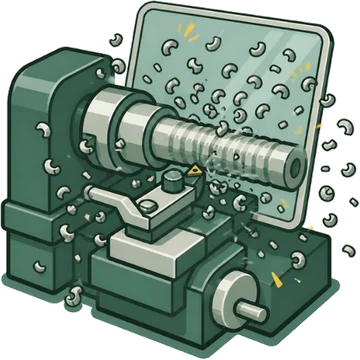
Check first
- Feed is too large
- Small corner radius (nose R)
- Chip breaker's effective range is small
Try first
- Reduce the feed and depth of cut
- Increase the corner radius
- Use a smaller entering angle (κr), i.e. a larger side cutting edge angle
 Likely causes
 Fixes
Cutting conditions
Tool
- Increase the corner radiusAgreed by 2+ makers[1][2][3]
- Use a smaller entering angle (κr), i.e. a larger side cutting edge angleAgreed by 2+ makers[1][2][3]
- Use a breaker suited to high feed and with a matching effective rangeAgreed by 2+ makers[1][2]
Coolant
 Related problems
Frequently asked questions
- What should I check first on the machine when "Chips are too fine, scatter, or stick" occurs?
- For Chips are too fine, scatter, or stick in Turning, check these primary causes first: Feed is too large Small corner radius (nose R) Chip breaker's effective range is small
- What is the fastest fix to try for "Chips are too fine, scatter, or stick" without tearing down the setup?
- Start with adjustments that can be made directly at the CNC control or tool holder: Reduce the feed and depth of cut Increase the corner radius Use a smaller entering angle (κr), i.e. a larger side cutting edge angle
- Does the workpiece material change how "Chips are too fine, scatter, or stick" behaves and how to fix it?
- Yes. Low-carbon and aluminum alloys tend to form built-up edge at low cutting speeds, stainless steels and superalloys work-harden and concentrate heat at the cutting edge if feed is too light, and hardened steels increase radial thrust and flank wear. Match the tool grade, rake angle, and cutting speed to the ISO material group.
 Sources
Causes and fixes are summarized in our own words from cutting-tool makers’ troubleshooting guides and technical data. “Agreed by 2+ makers” means two or more makers say the same thing. The small notes under some items and the “how it works” sections add explanations from papers, company technical reviews, public research institutes, standards, patents and maker data (papers and the like are tagged).
- Sandvik Coromant — Troubleshooting in turning sandvik.coromant.com
- Mitsubishi Materials — Turning troubleshooting mmc-carbide.com
- Mitsubishi Materials — Advanced Turning: Troubleshooting mmc-carbide.com